8 min read
Takeout JSON Metadata Fixer Review: Google Takeout, Fixed
A desktop app for Windows and Mac that puts the real dates, times and GPS locations back into your Google Photos Takeout export. Free to 500 photos, $19.99 once after that.

Scorecard
SCORE
8/10 ★★★★☆
VERDICT
It puts the real date and location back into the photos, Google Takeout hands you. Good guided flow, fair price. Wordy in-app text and uneven branding hold it back.
BEST FOR
Anyone leaving Google Photos for local storage, a NAS, or a self-hosted gallery such as Immich, especially with a large library.
SKIP IF
You’re comfortable with command-line tools and want a free, open-source option.
COST
Free for up to 500 photos with every feature and no watermark. Premium is $19.99 one time. A five-computer pack is $49.99. No subscription.
AVAILABLE ON
Windows and Mac
TESTED ON
Windows (Microsoft Store version)
TESTED
Windows, Microsoft Store version, on multiple personal small Google Photos libraries export.
The problem: Takeout gives your photos back, but not their details
Google Takeout (takeout.google.com) lets you download a copy of your Google Photos. The export isn’t a clean copy of what you see in the app.
–
Metadata are the details that live inside files. Each photo comes with a companion .json file. These Json files hold the original date, GPS coordinates, device data, etc.
–
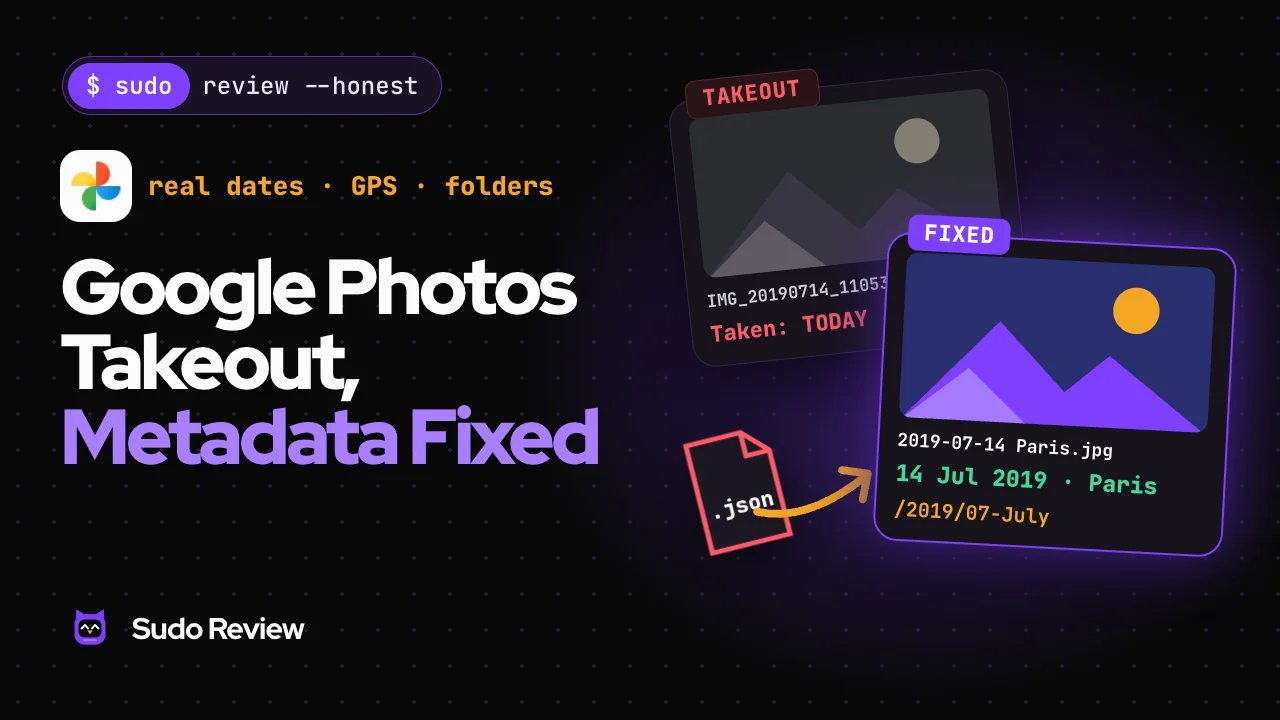
Dates can come out wrong. One walkthrough reports a 2019 photo showing the date of the export day. Google says the original timestamp stays in the file’s embedded metadata, but your operating system may assign a new one. In practice, a photo can sort by the wrong date once you move it.
–
Big libraries arrive in pieces. Larger exports are split into multiple .zip files. A 200 GB library may take about 36 hours to become available, and missing one part means missing a chunk of your library.
–
Matching files to their JSON is messy. In a PhotoStructure forum thread, users describe sidecar names that are a character off and files with -1 or -edited suffixes that don’t pair with their JSON. When a photo isn’t paired, that tool fell back to the file’s modified date.
With a few dozen photos, you can live with it. With thousands, it’s a job nobody should do by hand. 1,000 photos means 1,000 JSON files, plus one more per album.
What the app is
Takeout JSON Metadata Fixer is a desktop app for Windows and Mac. You give it your Takeout .zip files. It merges the real date, time, and GPS location back into each photo, sets the file’s created and modified dates, and then renames and sorts the files.
One catch-up front: it has three names.
–
Microsoft Store: Takeout JSON Metadata Fixer
–
Website (takeoutjson.com): Takeout JSON
–
Inside the app: Photo Date & Metadata Fixer
We use the store name in this review. More on why that matters below.
How it works in practice
We tested the Windows Store version. The workflow runs in four steps: pick a source, choose a destination, tune the options, and organize. The video below shows the whole run.
–
1. Get your export. We deselected everything on takeout.google.com, picked a Google Photos album/library, and exported it as .zip. The email arrived within a couple of minutes for our small library.
–
2. Pick a source. You drop in the .zip files directly. You don’t need to unzip them first.
–
3. Choose a destination. A local folder, a NAS path, or a USB stick or SD card. On export, the metadata is merged into the images.
–
4. Tune the options. Keep the original names or rename by date and time. We kept names close to the original with the date and time added. Sort into folders by year and then month, for example, 2022 / 01-January. There are options for live photos and for videos as well.
–
5. Organize. The results screen shows the app in action in real time and reports back in a clean dashboard.
The year and month folders came out as expected for our demo runs, and the files were renamed to our chosen pattern. The run on our small batch was quick.
What it does well
–
It automates the part you can’t do by hand. Matching JSON files to photos at scale is the whole point, and it worked very well.
–
It guides you. The app tells you what it’s doing and what you need to choose at each step. More software should do this.
–
A lot of useful options. For example, export straight to a USB stick or NAS. Rename by pattern. Sort by year and month.
–
Live photos stay together. Google can split live photos into separate files on export. The app keeps the pair together and fixes their metadata.
–
Video conversion is underrated. It’s an easy-to-miss option that can save you a second tool.
–
It flags problem files. Photos missing a JSON file, or with other issues, are highlighted so you can decide what to do. Nothing disappears silently.
–
No login, no watermark in the free tier. You can try everything before you pay.
What needs work
This is feedback for the developers. It’s the reason this isn’t a 9 or a 10.
–
The naming is inconsistent, and it matters. Three names for one product is more than a branding quirk. A first-time buyer sees “Takeout JSON Metadata Fixer” in the store, “Takeout JSON” on the website, and “Photo Date & Metadata Fixer” when they open the app and may wonder if they installed the right thing or not.
–
The interface needs polish. Some icons, for example, aren’t symmetrical or well finished. UIUX should be polished since the app itself is working very well.
–
The in-app text is too long and too technical. There’s a lot of copy, and much of it explains simple things in technical details. Short, direct text at about an 8th-grade reading level would serve both experienced users and beginners, the way good documentation for popular software does.
–
The branding is uneven. The app, the store page, and the landing page should feel like one product, with a few more small trust details that explain what it does right away.
Privacy
The developer’s site says photos aren’t uploaded and that there’s no account, sign-in, or analytics. It states one optional internet feature: place-name lookup, which sends only rough coordinates, never photos or filenames. Turn it off, and the app uses no internet.
Pricing
–
Free, $0: up to 500 photos, every feature, no watermark, no time limit. Dry runs on any number of photos.
–
Premium, $19.99 one time: unlimited photos. On Windows, a license key unlocks one computer and works offline once entered. On Mac, it’s an in-app purchase.
–
5 computers, $49.99: five license keys.
Exporting to an Android phone is premium only.
Who should buy it
–
Anyone moving off Google Photos to a local drive, a NAS, or a self-hosted gallery. Staying with Google but want AI to work in your Drive, Docs and Sheets? See our GWS CLI review.
–
Photographers, designers, and anyone with a big library
–
Casual users with under 500 photos, who can do the whole job for free.
$ sudo
verdict
8/10. It fixes a real problem well.
Clear guidance and a fair price. We’d recommend it to anyone leaving Google Photos. The developers can move from an 8 to a 9 or 10 by fixing the naming, shortening the text, and unifying the branding.
FAQ
What does the Takeout JSON Metadata Fixer do?
It reads the .json files in a Google Photos Takeout export and writes the real date, time and GPS location back into your photos. It also sets file dates, renames files and sorts them into folders.
Is Takeout JSON Metadata Fixer free?
Free up to 500 photos, with every feature and no watermark. Unlimited photos cost $19.99 one time. A five-computer pack costs $49.99.
Why do my Google Photos have the wrong dates after Takeout?
Takeout puts some of the photo details in a separate JSON file. When the file isn’t merged back into the photo, your computer can show the export or download date instead of the original.
Do I need to unzip my Takeout files first?
No. You drop the .zip files into the app directly.
Does it work on Mac?
Yes, the developer lists a Mac version on the Mac App Store. We only tested Windows.
Is there a free alternative?
Yes. Google Photos Takeout Helper Neo is free and open source, but it’s a command-line or interactive tool and works best with ExifTool installed.

Written by
Mashfiquar Rahman
Founder and lead reviewer
Mashfiquar collects open-source projects the way other people collect mugs. He will happily lose a weekend to a new self-hosted tool, reads changelogs for fun, and founded Sudo Review to share the ones that survive real use.
On this page
01
02
04
07
08
12
13
14
$ sudo
request –tool
Want us to test an AI tool?
← Back to